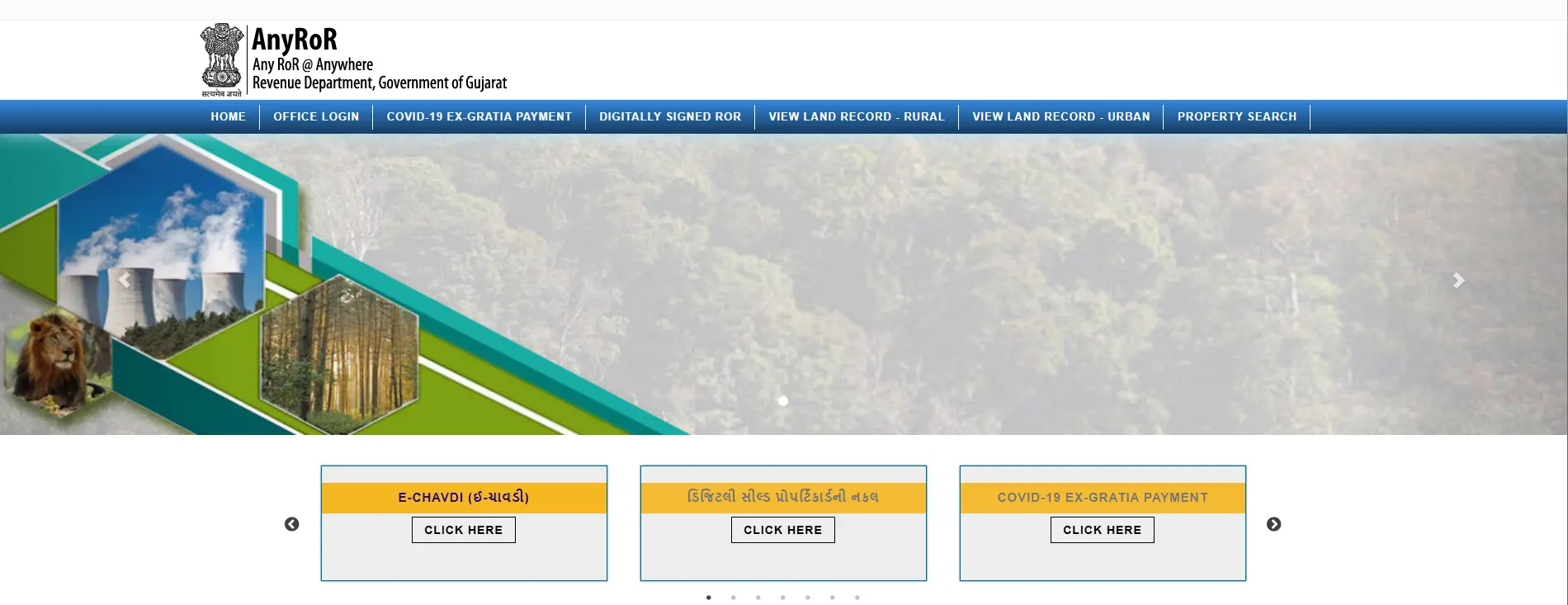
Introduction to AnyRoR @ Anywhere Gujarat
AnyRoR, an acronym for “Any Records of Rights Anywhere”, is the official software application established by the Revenue Department of Gujarat in collaboration with the National Informatics Centre (NIC). It serves as the definitive digital gateway for citizens to access and verify land ownership information across the state’s 26 districts and 225 talukas.

As a Senior Consultant, I must establish a critical hierarchy of evidence for all users: while the AnyRoR portal provides unprecedented transparency for landowners, farmers, and investors, the standard online “view” is for informational purposes only. It is a view-only window and does not hold the legal weight of a “Digitally Signed RoR” or a certified copy from a taluka office.
Understanding the Ecosystem: AnyRoR vs. E-Dhara
To navigate Gujarat’s land administration effectively, one must understand the relationship between the frontend portal (AnyRoR) and the backend database (E-Dhara).
- E-Dhara: This is the backend management system where approximately 1.5 crore land records are created, authenticated, and updated. It is managed locally at E-Dhara Kendras, situated within the Taluka Mamlatdar offices.
- AnyRoR: This is the public-facing interface. It pulls “live data” directly from the E-Dhara database.
- The Synchronisation Gap: AnyRoR displays the current state of approved records. If a transaction—such as a sale or inheritance—is currently being processed at the E-Dhara Kendra, the AnyRoR portal will continue to show the previous owner’s details until the mutation is officially approved and updated in the backend.
Importance and Benefits of the AnyRoR Portal
The digitisation of land records has revolutionised administrative efficiency and transaction security in Gujarat.
Key Benefits of AnyRoR Gujarat
| Benefit Category | Description | Primary User |
| Legal Protection | Safeguards ownership rights; prevents fraudulent transactions and unauthorised land grabbing. | Landowners |
| Financial Utility | Provides the verified documentation required for home loans, bank credit, and agricultural subsidies. | Farmers & Borrowers |
| Administrative Efficiency | Eliminates manual registers, reduces service delivery time, and ensures records are tamper-proof. | Government Officials |
| Transaction Transparency | Enables buyers to verify ownership, revenue history, and encumbrances before committing funds. | Investors & Buyers |
Decoding Land Record Terminology (Village Forms)
The following glossary defines the critical Village Forms (VFs) and terms used within the AnyRoR ecosystem.
VF6 (Village Form 6) : The Register of Mutations. It records every day-to-day change in land rights, including ownership transfers, gifts, or mortgage entries.
VF7 (Village Form 7) : Commonly known as the Satbara Utara; it provides survey number details, owner names, and ownership patterns for a specific land parcel.
VF8A (Village Form 8A) : The Khata (Account) details. This form is primarily used for property tax purposes and contains the landholder’s total landholding and revenue obligations.
VF12 (Village Form 12) : A record of cultivation, detailing the crops grown, irrigation methods, and historical land usage.
7/12 Utara : A combined extract of Form 7 (owner rights) and Form 12 (land usage/crops). It is the primary legal identity document for rural land.
Jantri : The government-determined market value of land and buildings in a specific area, used to calculate stamp duty and registration fees. Note: In April 2023, Jantri rates were revised; while rates generally doubled, the government subsequently slashed rates by 25% for constructed projects, resulting in a net 1.5 times increase over 2011 rates.
How to Check AnyRoR Rural Land Records (Step-by-Step)
For agricultural or village land, follow this procedure to view current records:
- Visit the Portal: Navigate to the official website: anyror.gujarat.gov.in.
- Select Category: Click the “View Land Record – Rural” tab.
- Choose Document: Select the required link from the dropdown (e.g., “VF7 Survey No. Details” or “VF8A Khata Details”).
- Enter Location Data: Select your District, Taluka, and Village from the menus.
- Input Identification: Provide the specific Survey Number or Khata Number.
- Verification: Enter the Captcha code and click “Get Record Detail.”
Accessing AnyRoR Urban Land Records and Property Cards
Urban properties are tracked via Property Cards rather than the 7/12 system.
- Urban Section: On the AnyRoR homepage, select “View Land Record – Urban.”
- Card Selection: Choose “Property Card” for standalone plots or “Unit Property Card” for individual units (flats/shops) within a complex.
- Mandatory Fields: Select the District and the corresponding City Survey Office.
- Specifics: You must provide the Ward Number, Sheet Number, and Survey Number to locate the urban asset.
Property Search and Name-wise Verification
For users lacking a survey number, the “Property Search” tab offers alternative retrieval methods.
- Search Types: Options include “Property Wise”, “Document No. Year Wise”, or “Name Wise”.
- Security Requirements: Name-wise searches require mandatory mobile number verification via a One-Time Password (OTP).
- CERSAI Integration: The portal integrates with the Central Electronic Registry of Securitisation Asset Reconstruction and Security Interest (CERSAI), which allows users to verify if the property is currently under an equitable mortgage or if a bank has a registered interest in it.
The Mutation Process: How to Update Records
Mutation is the formal process of updating the E-Dhara database to reflect a change in title. There are 35 mutation types, including Sale, Gift, Inheritance (Varsai), and Land Allotment.
The Statutory 135-D Notice
Upon filing for mutation, the Revenue Department issues a 135-D Notice. This initiates a 30-day statutory period for objections. This window is critical; if no objections are raised within 30 days, the mutation is finalised. Once approved in the E-Dhara system, it becomes exceptionally difficult to contest the entry.
Checklist of Required Documents
- Inheritance (Varsai): Computerised 7/12 and 8A extracts; Original or Certified copy of the Death Certificate.
- Sale (Vechan): Registered copy of the Sale Deed; proof of the buyer’s status as a Khatedar (mandatory for agricultural land).
- Will (Vasiyat): Certified copy of the Will; Probate (if required). Note: For agricultural land, the beneficiary must provide proof of being a Khatedar to benefit from the will.
- Minor to Major: Age proof (School Leaving Certificate or Birth Certificate).
Obtaining Digitally Signed RoR for Legal Use
To use a land record for a home loan, court case, or official registration, a “Digitally Signed RoR” is required.
- Redirect to Digital Gujarat: Access the “Digitally Signed RoR” section, which typically redirects to the Digital Gujarat portal.
- Authentication: Log in with a mobile number and verify via OTP.
- Service Selection: Select the required Village Form (e.g., VF-8A).
- Fee Payment: A standard fee of ₹15 is charged for the issuance of a digitally signed copy.
- Download: Once the payment is confirmed, the signed PDF is available for download in the RoR Login section for 24 hours.
Integrated Services: Revenue Cases and e-CHAVADI
- Revenue Case Details: This feature allows users to identify active legal disputes. It is essential for due diligence to ensure a property is not “Sub Judice.”
- e-CHAVADI: This is the digital equivalent of the Gram Chavadi (village office). While reports are generated digitally, the source context emphasises that notices and reports are also physically displayed at the Gram Chavadi for public awareness. Users can access digital e-CHAVADI reports by selecting the Year and Village.
AnyRoR and Financial Services (Home Loans)
Lenders (Banks and NBFCs) rely on AnyRoR for the “Mortgage” and “Home Loan Eligibility” processes. Key documents required include:
- Index-2: The summary of the registered document.
- Non-Encumbrance Certificate: Verified against AnyRoR and CERSAI to ensure the land is free from existing charges.
- Certified RoR: Mandatory for property valuation to confirm land area and boundaries.
Troubleshooting: “Record Not Found” and Common Issues
If your search returns no results, consider the following:
- Entry Errors: Ensure the Survey or Block number is exactly as it appears on your physical deed.
- Pending Approval: Recent mutations will not appear until the 30-day objection period ends and the Mamlatdar approves the entry.
- Physical Recourse: If digital records are inconsistent with your deeds, you must visit the local E-Dhara Kendra at the Taluka Mamlatdar office for manual verification.
District-wise Helpline Numbers
Citizens may contact their local District Emergency Operations Centre (EOC) for assistance.
| District | Helpline | EOC’s Helpline |
| Ahmedabad | +91 79 1077 | +91 79 27560511 |
| Amreli | +91 2792 1077 | +91 2792 230735 |
| Anand | +91 2692 1077 | +91 2692 243222 |
| Banaskantha | +91 2742 1077 | +91 2742 250627 |
| Bharuch | +91 2642 1077 | +91 2642 242300 |
| Bhavnagar | +91 278 1077 | +91 278 2521555 |
| Dahod | +91 2673 1077 | +91 2673 239277 |
| Dang | +91 2631 1077 | +91 2631 220347 |
| Gandhinagar | +91 79 1077 | +91 79 23256720 |
| Jamnagar | +91 288 1077 | +91 288 2553404 |
| Junagadh | +91 285 1077 | +91 285 2633446 |
| Kheda | +91 268 1077 | +91 268 2562799 |
| Kutch | +91 2832 1077 | +91 2832 252347 |
| Mehsana | +91 2762 1077 | +91 2762 222220 |
| Narmada | +91 2640 1077 | +91 2640 224001 |
| Navsari | +91 2637 1077 | +91 2637 259401 |
| Panchmahal | +91 2672 1077 | +91 2672 242536 |
| Patan | +91 2766 1077 | +91 2766 224830 |
| Porbandar | +91 286 1077 | +91 286 2245800 |
| Rajkot | +91 281 1077 | +91 281 2471573 |
| Sabarkantha | +91 2772 1077 | +91 2772 249039 |
| Surat | +91 261 1077 | +91 261 2465112 |
| Surendranagar | +91 2752 1077 | +91 2752 283400 |
| Tapi | +91 2626 1077 | +91 2626 223332 |
| Vadodara | +91 265 1077 | +91 265 2427592 |
| Valsad | +91 2632 1077 | +91 2632 243258 |
Frequently Asked Questions (FAQs)
Is there an official AnyRoR mobile app?
No. The Revenue Department of Gujarat does not have any official mobile application currently operational. Any apps found on the Play Store are private third-party tools and should be used with extreme caution.
Can I download 7/12 Utara for free?
Viewing land records online is free of cost. However, a fee of ₹15 is mandatory for obtaining a Digitally Signed RoR or a certified copy for legal purposes.
What is the difference between a 7/12 extract and a Property Card?
A 7/12 extract is for rural and agricultural land (identifying owner rights and crop usage). A Property Card is the equivalent for urban areas, establishing legal ownership for city plots, standalone houses, and individual units (flats).
Conclusion
The digitisation of Gujarat’s land records through the AnyRoR and E-Dhara ecosystem has brought unprecedented clarity to property administration. By replacing manual registers with a tamper-proof digital database, the state has significantly reduced the risk of fraud. However, professional diligence remains paramount. I strongly advise all stakeholders to verify digital “views” against registered sale deeds and to always secure a Digitally Signed RoR before concluding any financial or legal commitment. Furthermore, stay mindful of the 2023 Jantri rate revisions, as these directly impact your registration costs and property valuations.