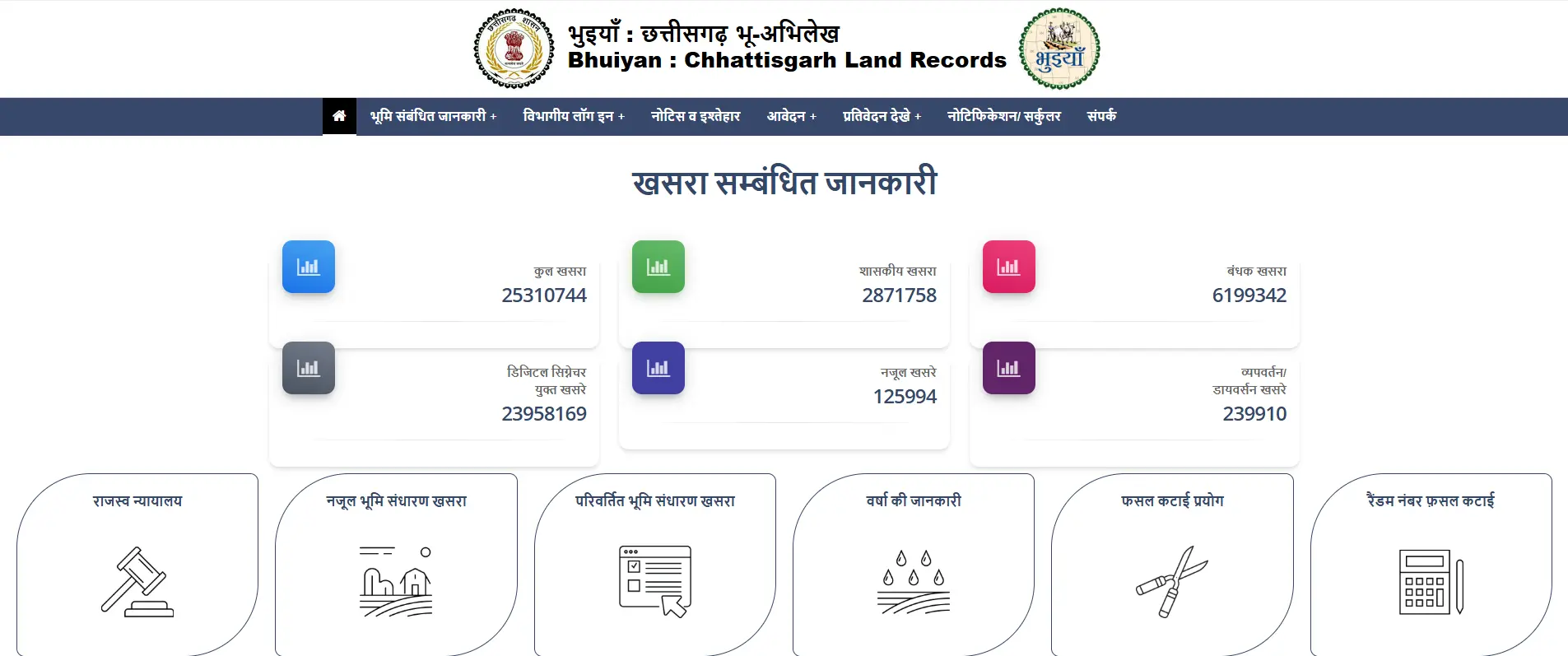
The CG Bhuiyan portal is a transformative digital initiative by the Government of Chhattisgarh, designed to serve as a one-stop gateway for land records and property management. Gone are the days when verifying ownership required multiple, exhausting visits to the Tehsil office or waiting for the local Patwari.
As part of the Digital India Land Records Modernisation Programme (DILRMP), this portal shifts the power back to the citizens through digital transparency. Whether you are a farmer, a first-time homebuyer, or a seasoned real estate investor, managing your property details is now a matter of a few clicks. This guide is written to help you navigate the system with ease, ensuring you have the authoritative information needed to secure your legal property rights.
Understanding CG Bhuiyan: What Can You Do?
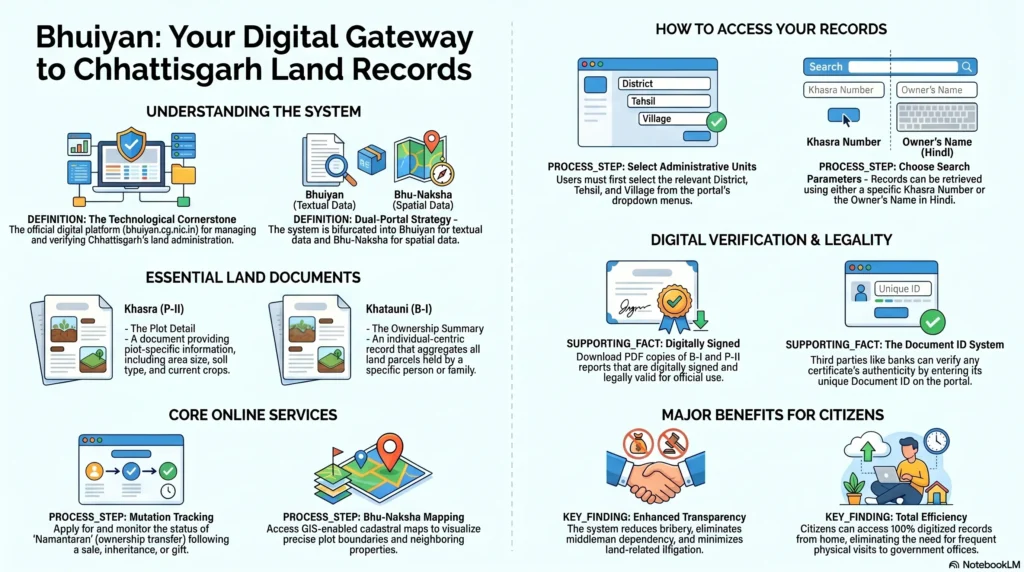
CG Bhuiyan is the state’s official land records computerization project, developed by the National Informatics Centre (NIC). Its core objective is to replace manual record-keeping with a transparent, real-time database that reduces the likelihood of fraud, bribery, and administrative delays.
Key Services Available Online:
- Access to Khasra (P-II) and Khatauni (B-I): Instantly view plot details or family account records.
- Digital Land Mapping (Bhu-Naksha): View precise cadastral maps showing plot boundaries and geographic layouts.
- Online Mutation (Namantaran): Apply for transfer of ownership and track the application status.
- Financial Tools: Access calculators for stamp duty, minimum market value, and property valuation.
- Revenue Court Services: File applications and track legal proceedings related to land revenue.
By digitizing these services, the Chhattisgarh government has created a transparent Information Landscape, ensuring that landowners have real-time access to their records, which is essential for obtaining bank loans or completing legal transactions.
Step-by-Step: Checking Land Records and Downloading Documents
Navigating the portal is straightforward, but there are a few technical nuances—particularly regarding language—that you should keep in mind.
Checking Khasra Details
The Khasra (P-II) is the specific identification number assigned to a land parcel.
- Visit the official portal: bhuiyan.cg.nic.in.
- Select your District, Tehsil, and Village (Gram) from the dropdown menus.
- Choose your search method: “Khasra wise” (if you have the plot number) or “Name wise”.
- Specialist Tip: If searching “Name wise,” you must enter the owner’s name in Devanagari (Hindi). If you don’t have a Hindi keyboard, the portal provides a UTF typing tool link at
bhuiyan.cg.nic.in/UTFTools.aspxto assist you.
Downloading Digitally Signed B-I and P-II
To use these documents for bank loans or legal evidence, they must be digitally signed.
- Navigate to the “Application” or “Nagrik Suvidha” tab and select “Digitally Signed B-I/P-II Application.”
- Provide the location details and search for your plot via Khasra or owner name.
- Enter a valid mobile number and email ID—these are mandatory to generate the report.
- Note on Fonts: These reports are in Hindi. Ensure you have supported Hindi fonts installed on your device to view the PDF correctly.
Viewing Bhu-Naksha (Land Maps)
- Select the “Naksha Dekhe” tab on the homepage.
- Use the left-hand pane to select your location.
- Clicking on a specific plot number on the map will reveal detailed boundaries and owner information.
The Land Mutation Process: Updating Ownership
Land mutation, or Namantaran, is the critical process of updating the government’s record of rights after a property is sold, gifted, or inherited.
Necessary Documents for Mutation
All supporting documents must be uploaded as PDF files through the portal.
| Necessary Document | Purpose |
| Sale Deed / Gift Deed | Primary legal proof of the ownership transfer. |
| Property Tax Receipt | Verification that all historical dues are cleared. |
| Identity/Address Proof | Verification of the buyer and seller’s identity. |
| Abedan Form | The formal application request for the record update. |
| Affidavit/Death Certificate | Required specifically for succession/inheritance cases. |
Application Tracking
- Under the “Land Information” section, click “Current status of the transfer.”
- Search using either your Registration Number or Application Number.
- View the real-time stage of your application (e.g., pending with Tehsildar or finalized).
Access on the Go: The CG Bhuiyan Mobile App
Developed by the NIC, the CG Bhuiyan mobile app is excellent for quick verification.
App Features:
- QR Scanner: Verify the authenticity of any B-I or P-II report by scanning the printed QR code.
- Real-time Access: Check plot details and maps while physically present at a property site.
- User Advice: While the app is great for viewing, I recommend using the desktop portal for official downloads or printing, as it offers better reliability for generating large PDF files.
Pro-Tip: If your digital record shows a previous owner’s name even after a sale is finalized, do not panic. Online records are updated based on data synced from local offices. If the delay persists, contact your area’s Patwari to ensure the manual records have been correctly digitized.
Information Landscape: Competitor Analysis
While the official CG Bhuiyan portal is the ultimate authority for legal records, other platforms like Bajaj Markets, Housing.com, and Leasewarehouse provide helpful secondary guides and financial services.
Specialist Warning: Because the official portal manages massive amounts of state data, users should expect occasional server lag during peak office hours. If the site is slow, try accessing it early in the morning or late in the evening.
| Platform | Primary Function | Key Limitation |
| Official CG Bhuiyan Portal | Legal record maintenance and certified downloads. | Can experience long response times/server lag. |
| Third-party Blogs (Housing/Bajaj) | Easy-to-read guides and loan integration. | Cannot provide legally binding certificates. |
| Manual Office Visits | Physical verification and local dispute resolution. | High physical effort and potential for delays. |
Revenue Court and Tax Payments
Revenue Court Instructions
For disputes or legal applications, use the “Submit an application to the Revenue Court” feature. You must fill in the details of all applicants, upload supporting PDFs, and verify the submission via a mobile OTP. Once submitted, save the computer-generated reference number for all future tracking.
Tax and Stamp Duty
It is important to distinguish between different types of taxes:
- Land Revenue (Rural): Often managed through the local Tehsil or specific links on the Bhuiyan portal.
- Property Tax (Urban): This is usually handled by individual municipal corporation websites (e.g., Raipur Municipal Corporation).
- Stamp Duty: Use the calculator on the portal to estimate the government tax required for your transaction based on the property’s market value.
Official Contact Information
For technical support or deep-level queries, the Land Records Department can be reached at their headquarters:
Office of the Commissioner, Land Records, Chhattisgarh Block-2, 1st Floor, Indrawati Bhavan, Nava Raipur Atal Nagar, Raipur, Chhattisgarh, 492002 Phone: 0771-2234583, 2234584, 2234578 Email: clr-cg@nic.in
Frequently Asked Questions (FAQs)
What is the difference between Khasra and Khatauni?
A Khasra (P-II) is a unique number for a specific plot or parcel of land. A Khatauni (B-I) is an account number that represents the total land holdings of an individual or family.
Are digitally signed documents legally valid?
Yes. Digitally signed B-I and P-II documents downloaded from the official portal are legally valid for bank loans, court cases, and property registrations.
Is there a fee for using the Bhuiyan portal?
No. Accessing land records, checking mutation status, and viewing maps on the CG Bhuiyan portal is a free service provided by the Revenue Department.
What should I do if my name is incorrect in the digital record?
You can submit a correction application through the portal’s “Error Correction” section or contact your local Patwari to update the manual records which then sync to the digital database.
Conclusion
The digitization of Chhattisgarh’s land records has effectively moved the “Revenue Office” into the palms of the citizens. By leveraging the CG Bhuiyan portal, you can ensure transparency in your transactions and maintain legal peace of mind. Whether you are verifying a new purchase or simply checking your ancestral holdings, I encourage you to visit the portal today and ensure your records are up to date.